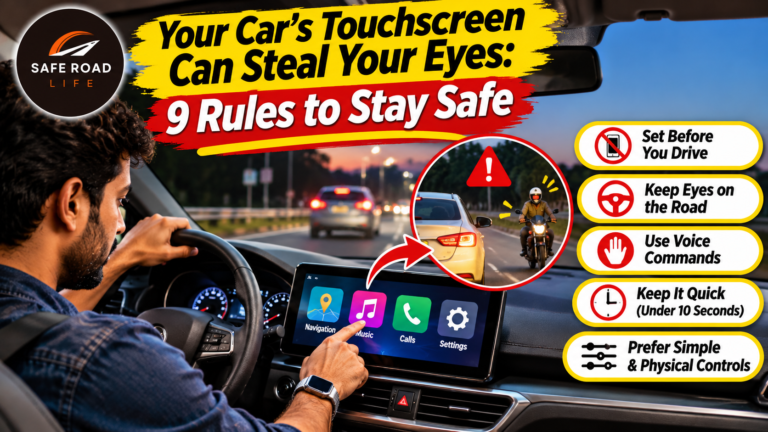
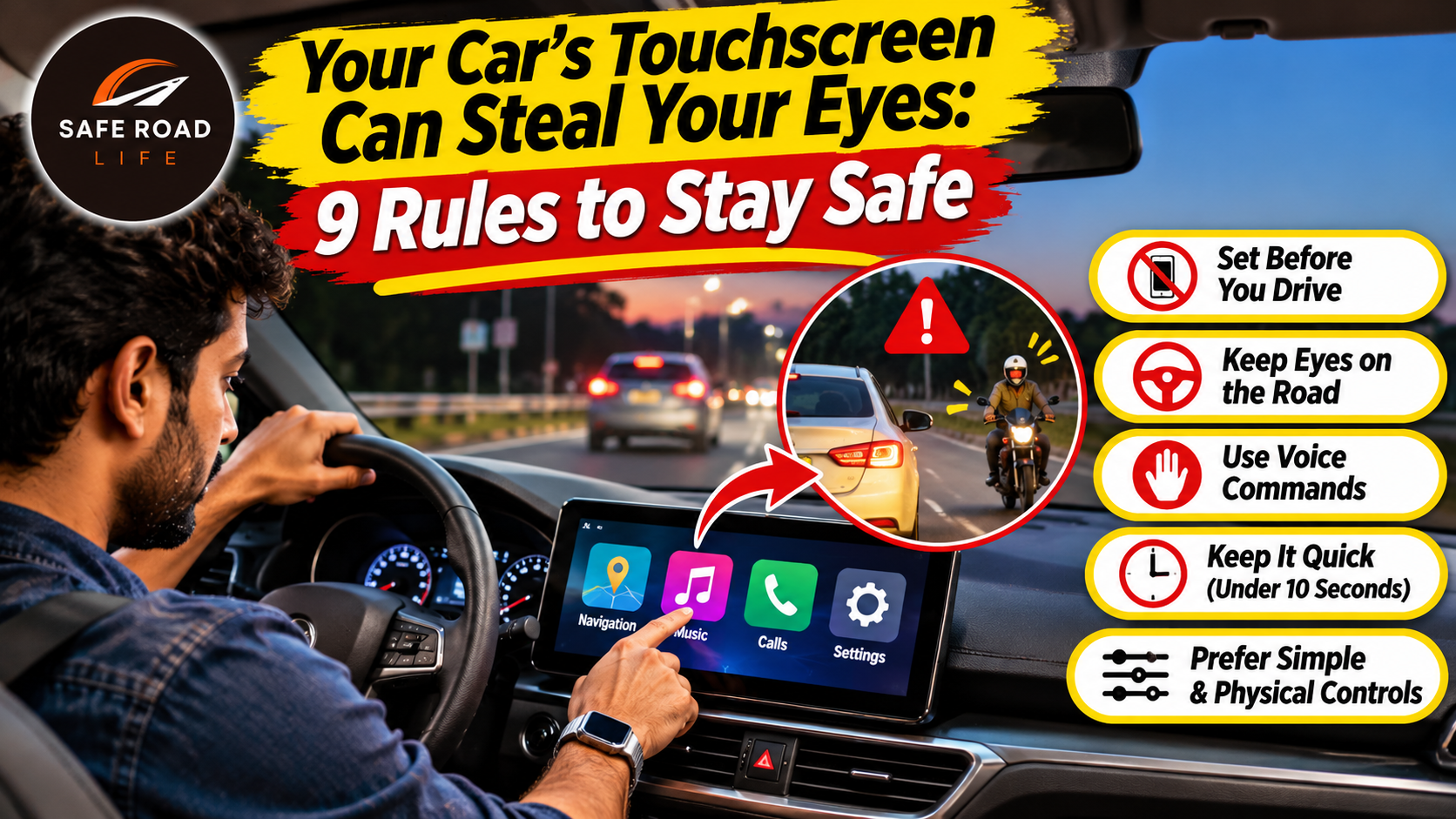
Your car may be getting smarter. But every extra tap can ask your eyes to leave the road. A climate setting, a song search, a navigation change or a message on the centre display can turn a simple drive into a sequence of glances, touches and delayed decisions. The danger is not the screen itself. It is the attention it takes away at the wrong moment.
This is becoming a global vehicle-safety issue. On 21 October 2026, Allianz reported that its research programme linked driver distraction to one in three road crashes, while also highlighting how digital cockpit design can increase eyes-off-road time. In October 2026, Euro NCAP reinforced the importance of keeping essential driving controls easy to operate without navigating touchscreen menus. These findings do not mean every touchscreen is unsafe; they show why interaction design and driver behaviour matter.
Why in-car touchscreen distraction deserves attention
Traditional knobs and buttons can often be operated by feel after drivers become familiar with them. A touchscreen is different: the control may move between menus, change position after a software update or require several taps. Drivers may need to look down, search, read, select and check whether the command worked.
A 2026 study published in IATSS Research found that touchscreen interactions had the highest visual-distraction risk among the in-vehicle glance activities it examined, with a greater share of glances exceeding 1.2 seconds and 2 seconds. Another 2026 study comparing touchscreen and physical controls found greater distraction and poorer task or driving performance with touchscreen interactions for tasks involving more than one interaction.
Think about distance, not just seconds. At 50 km/h, a vehicle travels about 14 metres every second. A three-second look away means roughly 42 metres covered without the driver watching the road properly. At highway speed, the distance is much greater. A sudden brake, pedestrian, cyclist or lane change can appear during that gap.
9 rules to use your car screen without putting lives at risk
1. Set your destination before moving
Enter the address, choose the route, check the map and set the volume while parked. Do not type a destination, search for a location or correct a route while the vehicle is moving. If the route needs changing, stop at a safe and legal place first.
2. Do not browse menus while driving
Scrolling through music, contacts, vehicle settings or apps is not a driving task. Choose a playlist or podcast before departure. If you miss a song or need a different setting, wait until you are parked. A few seconds of convenience are not worth losing sight of traffic.
3. Learn essential controls before the journey
Before setting off, learn how to operate the indicators, headlights, hazard warning lights, wipers, demister, horn and other essential functions in your vehicle. Do not assume these controls are in the same place across different models. If a safety-critical function is buried in a menu, understand the procedure while parked and consider that when choosing your next vehicle.
4. Use voice commands carefully—not as a licence to multitask
Voice control may reduce the need to touch a display, but it can still demand mental attention. Long conversations, repeated failed commands and complicated dictation can distract you. Use only simple commands when necessary. If the system misunderstands you, leave it alone until you have stopped safely.
5. Keep notifications out of your driving routine
Silence non-essential alerts and activate your phone’s driving or do-not-disturb mode before starting. Do not read message previews on the dashboard, smartwatch or phone. A notification can wait; a developing hazard may not. Ask a passenger to handle urgent communication when appropriate.
6. Let a passenger manage the screen
If you are travelling with another adult, let the passenger change music, check a new route or adjust non-essential settings. Agree that the driver remains responsible for the road and that the passenger should not make sudden changes that startle or distract the driver.
7. Never adjust the screen in complex traffic
Do not interact with the display near junctions, roundabouts, pedestrian crossings, school zones, work zones, toll plazas, busy merges or while overtaking. These situations require continuous observation and quick decisions. Keep both attention and hands available for driving.
8. If the screen demands attention, pull over safely
If the display freezes, navigation becomes confusing or a warning requires investigation, do not troubleshoot while moving. Find a safe, legal stopping place away from live traffic. Park before reading instructions, restarting the system or consulting the vehicle manual. Never stop in a travel lane or on a narrow shoulder unless an emergency leaves no safer option.
9. Do not mistake driver-assistance technology for a second driver
Navigation, lane assistance, adaptive cruise control, parking cameras and voice assistants do not remove the driver’s responsibility to monitor the road. Know the limits of each feature in your vehicle manual. Keep your eyes on the road, hands ready and attention on surrounding traffic. Never watch a video, browse the internet or use an automated feature as permission to disengage.
The 10-second pre-drive screen check
- Destination and route are set.
- Music or audio is selected.
- Phone notifications are silenced.
- Wipers, lights, demister and hazard controls are understood.
- Any passenger knows they can manage non-driving screen tasks.
- The display is positioned so it does not obstruct the road view.
What should car buyers look for?
A large screen is not automatically a safer screen. Before buying a car, check whether essential functions can be operated simply and predictably. Test the wipers, demister, hazard lights, indicators, headlights and audio controls while the vehicle is stationary. Look for clear menus, readable displays, responsive controls and physical switches for functions that may be needed quickly. Euro NCAP’s 2026 assessment has placed renewed attention on accessible physical controls for key driving tasks.
Manufacturers also have a responsibility: technology should reduce workload, not create extra steps at the moment a driver needs full concentration. Good interface design supports safe behaviour; it does not replace it.
Frequently asked questions
Are touchscreen controls dangerous while driving?
They can create visual, manual and cognitive distraction, especially when a task requires several taps or reading. Risk depends on the task, interface, traffic situation and driver behaviour. The safest approach is to configure the system while parked and avoid browsing while moving.
Is voice control completely safe?
No. Voice control may reduce manual interaction, but complex commands and prolonged conversations can still take attention away from driving. Keep commands simple and postpone anything that requires concentration.
What should I do if navigation changes while I am driving?
Do not look down to re-enter the route. Follow road signs and continue only when it is safe. If you need to reset navigation, stop at a safe and legal place before touching the screen.
Are physical buttons better than touchscreens?
For frequently used, safety-critical functions, well-positioned physical controls can be easier to locate and operate by feel. A well-designed touchscreen can still be useful for secondary tasks, but it should not force drivers to navigate complex menus while moving.
Related SafeRoadLife reading
- The Moment Before the Crash: 9 Decisions That Can Save a Life
- Driver Fatigue: 9 Warning Signs Every Highway Driver Must Never Ignore
Technology should help you reach home—not take your eyes away from the road
The next road hazard may not be outside your windscreen. It may be the menu you are trying to find, the message you are tempted to read or the setting you want to change. Prepare before departure. Keep essential attention on the road. If a screen needs more than a quick glance, leave it until you are parked.
DRIVE SAFE. STAY SAFE.
@SafeRoadLife
Sources and further reading
- Allianz, 21 October 2026 — Research links distraction to one in three road accidents
- Euro NCAP, 12 October 2026 — Buttons are back for basic functions
- IATSS Research, October 2026 — In-vehicle glances: Essential driving behavior or a source of distraction?
- Transportation Research Part F, August 2026 — A safety comparison of touchscreen and physical controls
- World Health Organization — Road traffic injuries and distracted driving
About the Author