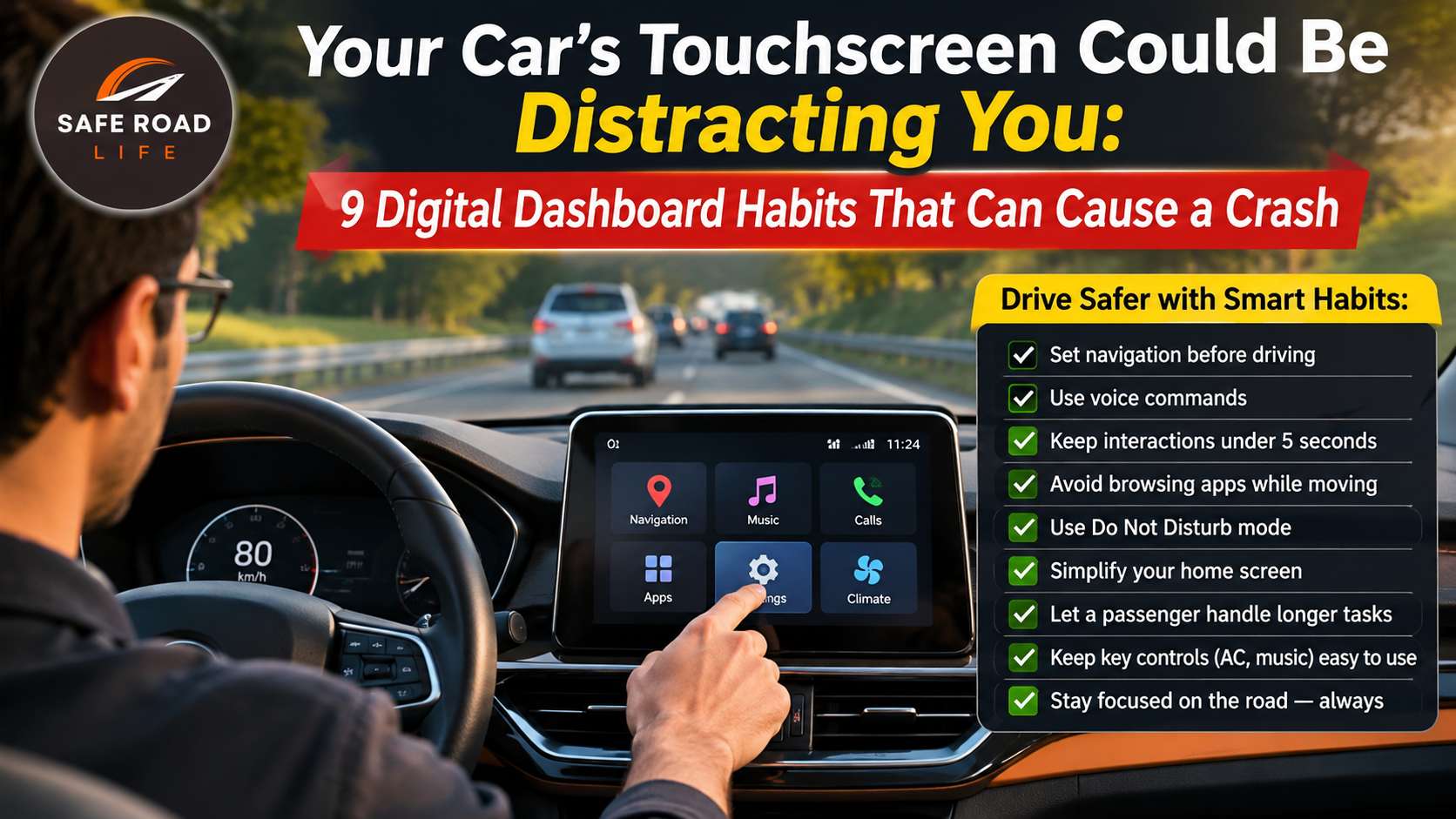
Your car may have advanced safety technology, a large touchscreen and voice commands. But if a simple adjustment makes you look away from the road for several seconds, convenience can become a serious risk. Modern dashboards are changing how drivers interact with vehicles—and road safety must keep pace.
A 2026 research programme by Allianz’s Center for Technology examined more than 34,000 crash cases, real-vehicle eye-tracking studies, simulator scenarios and more than 80 published studies. Allianz reported that distraction was a factor in one in three crashes in the data it analysed. Its findings also highlighted how cockpit design can increase the time a driver’s eyes are away from the road. This is not a reason to reject technology. It is a reminder to use it responsibly.
Why the digital dashboard deserves your attention
Traditional buttons could often be located by touch. In some modern vehicles, common functions are placed inside layered touchscreen menus. A driver may need to look down, find an icon, read a label and tap the correct area. Even a short interaction can become dangerous when traffic changes unexpectedly.
The World Health Organization identifies distracted driving, including mobile-phone use, as a major road-safety risk. The principle applies to any in-vehicle task that takes attention away from driving: your eyes, hands and mind all need to remain available for the road.
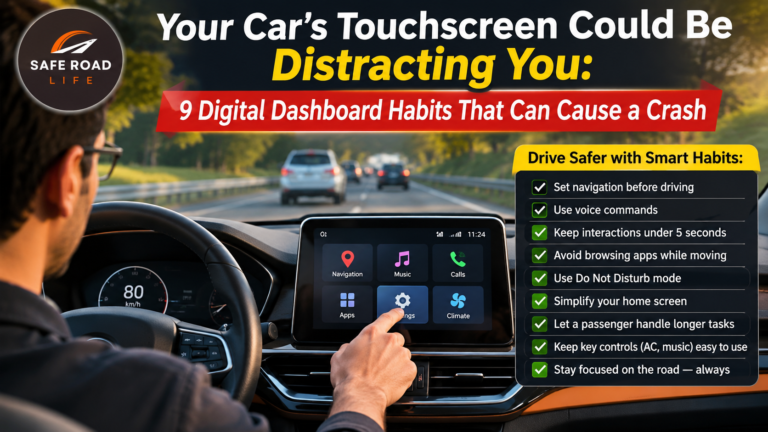
9 digital dashboard habits that can put drivers at risk
1. Searching through menus while moving
Do not browse settings, vehicle apps or entertainment menus while the car is moving. Set the system before departure. If an adjustment becomes necessary, pull over at a safe, legal place and stop before operating the screen.
2. Entering a destination after starting the journey
Typing an address, changing a route or searching for a nearby stop requires visual and mental attention. Enter the destination before moving. If the route needs to change, ask a passenger to assist or stop safely first. Never try to correct navigation while approaching a junction or making a turn.
3. Treating voice commands as completely risk-free
Voice control can reduce the need to touch a screen, but it can still distract you. Long conversations with an assistant, repeated commands or troubleshooting a failed instruction can occupy your mind. Use only simple functions when traffic conditions are calm, and leave non-essential tasks until you are parked.
4. Watching cameras and displays instead of the road
Reversing cameras, parking views and driver-information displays are aids—not replacements for direct observation. Check mirrors, surroundings and blind spots as appropriate. While moving forward, keep your attention on the road rather than repeatedly checking decorative or non-essential display information.
5. Adjusting climate, music or seat settings in traffic
Temperature, music, ambient lighting and seat settings can usually be prepared before departure. Avoid scrolling through multiple screens in moving traffic. If the cabin becomes uncomfortable or visibility is affected by misting, prioritise a safe response and stop if you cannot make the adjustment without losing control or attention.
6. Allowing notifications to compete for attention
Messages, app alerts and incoming calls can tempt drivers to glance down. Enable a driving focus or do-not-disturb setting where available, silence non-essential notifications and keep the phone out of reach. Do not read or respond to messages while driving—even when traffic appears slow.
7. Depending too much on driver-assistance features
Lane support, adaptive cruise control, parking assistance and collision warnings have specific operating limits. They do not turn a vehicle into a self-driving car unless the manufacturer explicitly certifies that capability for the exact conditions—and even then, the system’s instructions must be followed. Know what your vehicle can and cannot do. Keep monitoring the road and remain ready to take control.
8. Learning unfamiliar controls while driving
If you are using a new or hired vehicle, learn the location of essential controls before joining traffic: indicators, headlights, wipers, hazard lights, demisting, gear selection and parking brake. Ask for a demonstration or consult the owner’s manual while parked. Do not experiment with unfamiliar menus on a busy road.
9. Assuming a quick glance is always harmless
Risk is not measured only by how long you look away. A brief glance can coincide with a pedestrian stepping out, a vehicle braking or a motorcycle entering your blind spot. Build a simple rule: if a task is not essential to controlling the vehicle safely, postpone it until you are parked.
A practical pre-drive digital cockpit checklist
- Set your destination and review the route before moving.
- Adjust mirrors, seat, steering wheel and climate controls while parked.
- Choose music or audio before departure and keep the volume low enough to hear the road.
- Connect your phone and activate driving focus before starting.
- Know the physical location of essential safety controls.
- Understand the limits of your vehicle’s driver-assistance systems.
- Ask passengers to handle non-essential screen tasks.
- If you need to use a menu, stop in a safe and legal place first.
Technology should support the driver—not compete with the road
Vehicle manufacturers have a responsibility to make essential functions intuitive and accessible. Regulators and safety organisations must continue to assess distraction as vehicles become more digital. Drivers also have a responsibility: learn the systems, plan before moving and refuse to multitask behind the wheel.
For more practical guidance, explore the SafeRoadLife Safety Guides. For evidence-based information on distracted driving and other road risks, read the World Health Organization’s road traffic injuries fact sheet and Allianz’s 2026 report on technology and driver distraction.
A safer journey begins before the engine moves. Set the screen, silence the distractions and give the road your full attention.
DRIVE SAFE. STAY SAFE.
@SafeRoadLife
About the Author